
AI can generate UI fast, but real interface development still depends on design systems, developer intent, and structured thinking.
In a relatively short space of time, Generative AI (GenAI) has become capable of producing fully functional UIs, full platform pages, and complete dashboard drafts in five minutes or less. On the surface, the results speak for themselves: ready-made buttons, panels, charts, and layouts appear with a single prompt. At first glance, it can seem as if the most monotonous parts of interface development have been wholly automated.
This is partially true, but the reality is much more layered. UI development is more than just stacking classes and markup on top of each other. It is the interplay of component systems, UX decisions, project-specific designs, data flows, modular logic and long-term maintainability. When dealing with all of these layers together, GenAI is less of a ‘problem-solver’ and more like a ‘cache’ which is only useful in the hands of a developer who already knows exactly what they want to build.
It really can replace template-like surfaces
Nobody is clamoring for a world in which developers have to type out the thousandth modal window by hand. Basic patterns, like forms and navigation bars, can be generated in a single move. For GenAI, these are familiar patterns. The internet is full of examples (every framework and UI library solves them in some fashion) and the models have learned their optimal structure through countless learning repetition. This is where generated code can genuinely save time. If the task only involves basic patterns, then saying “I’ll throw it together in 5 minutes” is not an exaggeration.
But frontend is not that simple.
When the UI is no longer a template, GenAI is uncertain
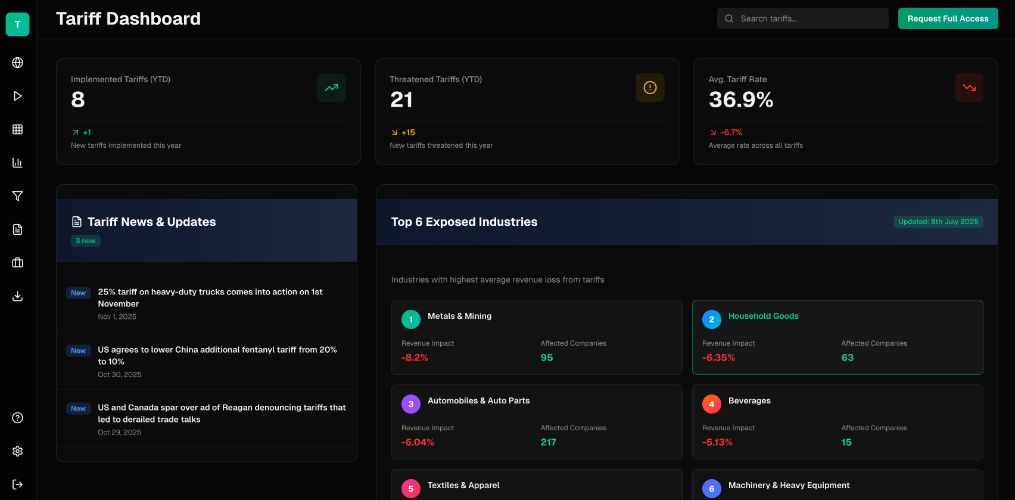
In systems like our impact dashboard at RGS, we need much more that basic patterns. Individual surfaces build on each other, data dimensions connect, multiple charts together tell a story, and every visual decision carries domain logic. A drilldown requires data filtering, a state change, multi-level structure, and a chain of UX rules. It is far more than an animated transition, and GenAI does not understand this context.
It is here that generated UIs often become ‘too creative’. What we mean by this, is that it adds elements nobody asked for, applies patterns that worked in other projects but are distracting in this system, and makes random visual decisions that lack UX intent. The GenAI models aren’t optimizing for what the developer or product needs. They don’t ‘care’ about consistency, they are optimised to produce something ‘nice’ and ‘functional’ based on their own statistical patterns.
This is where developer thinking has to kick in, and generation alone is not design.
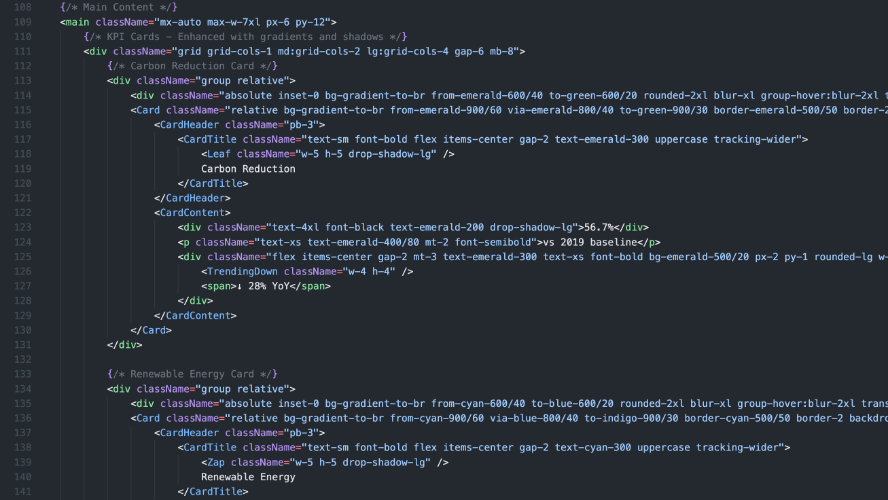
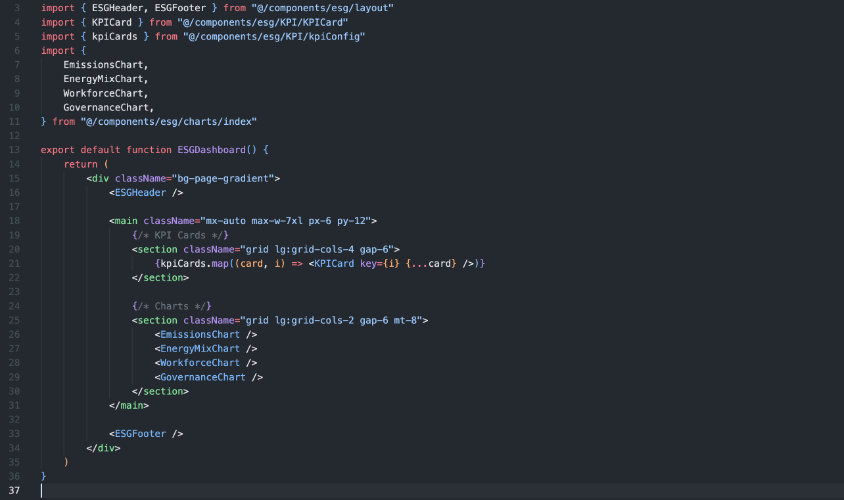
Without a design system, AI cannot produce good code. And AI has no design system.
All effective UI systems are built on something: a spacing scale, typography hierarchy, component structure, naming conventions and/or state schemas. These underlying rules are what make a large dashboard feel like one product rather than ten unrelated websites thrown together.
GenAI can’t ‘grasp’ any of this. It doesn’t understand your spacing, your typography scale, your grid system, or your reusable components. It can output Tailwind classes, but has no concept of why something in your system would use 8px spacing instead of 12px. These types of decisions are completely invisible to the models.
This is why GenAI generated code can look nice at first glance, but with further usage it feels like it was copied from an entirely different product. And that’s where the real work begins for developers.
The key to effective AI utilization is design and decomposition
The best workflow is not “I ask V0 to make a dashboard” and that is all I need to do. Anyone who tries this will fall into the same trap: they generate a unit that is too large, with an overly long chunk of code, and end up spending more time refactoring it than it would have taken to write it.
The workflow should look like this:
- Design the interface
- Break it into components
- Generate each component separately
- Align and clean them up as a developer
Without this flow, there will be no real AI acceleration.
This is even more true in companies where UI/UX and frontend are built by the same person
In many places (startups, small tech teams, data-driven companies) UI design and implementation are managed by the same pair of hands. The developer doesn’t just write code, but they also have to make UX decisions, choose visual patterns, build component systems, design state logic, and maintain consistency across the entire interface. And this is where GenAI can go wrong the fastest.
This is because the developer also performs the tasks of the designer, and the decisions come from complex, interconnected intentions. GenAI only ‘understands’ what you explicitly describe in the prompt. It cannot process what you ‘see through’ in the design.
Teams with separate UI/UX departments and finalized designs (even .fig files) may find GenAI easier to use, but it doesn’t mean that the problems disappear. You can’t ‘feed’ a .fig file into a model and expect it to output production-ready, maintainable, project-aligned code. Design, decomposition, and integration remain human responsibilities. Structure can never be generated all at once.
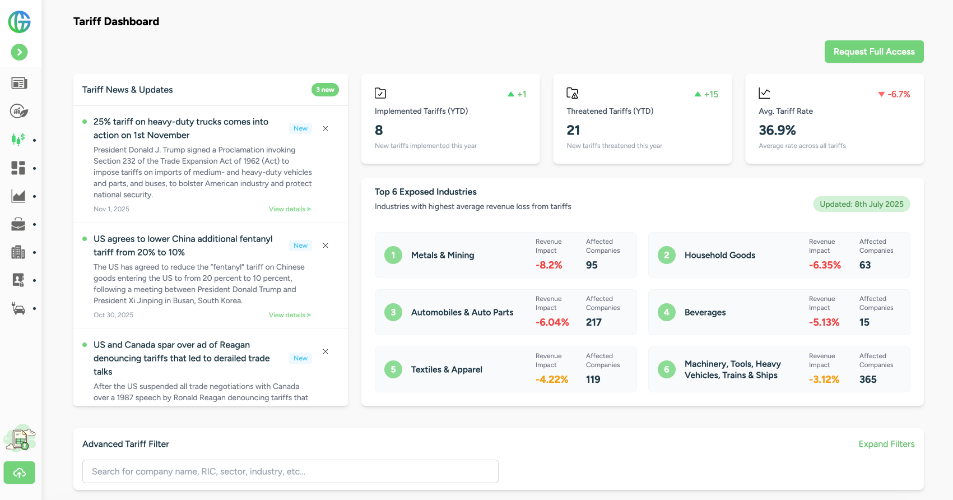
With GenAI, the developer’s role transforms instead of shrinking
As GenAI usage increases, the developer becomes less of a ‘code-producer’ and more of a system organizer, component architect, UX-aware decision maker, quality controller, and curator of generated code.
GenAI can greatly help with production but takes over nothing from maintainability. An AI system won’t build reusable components, design your folder structure, or create a thoughtful prop API. And it definitely won’t guarantee that the code will still work in two months from now.
In the end, the current situation is simple. AI is the most effective tool in the hands of those who know what they’re doing
Generative UI tools don’t replace thinking, design, structure, nor the UX system decisions that make a product truly authentic. The difference with GenAI is that the developer no longer has to type everything by hand, as you now have a partner that can sketch the starting state in seconds.
The component, the system, the hierarchy, the interactions, and the domain logic still have to come from us.